> ## Documentation Index
> Fetch the complete documentation index at: https://docs.banya.ai/llms.txt
> Use this file to discover all available pages before exploring further.
# Quickstart
> A 5-minute guide to sending your first request and reviewing and approving the changes the AI makes.
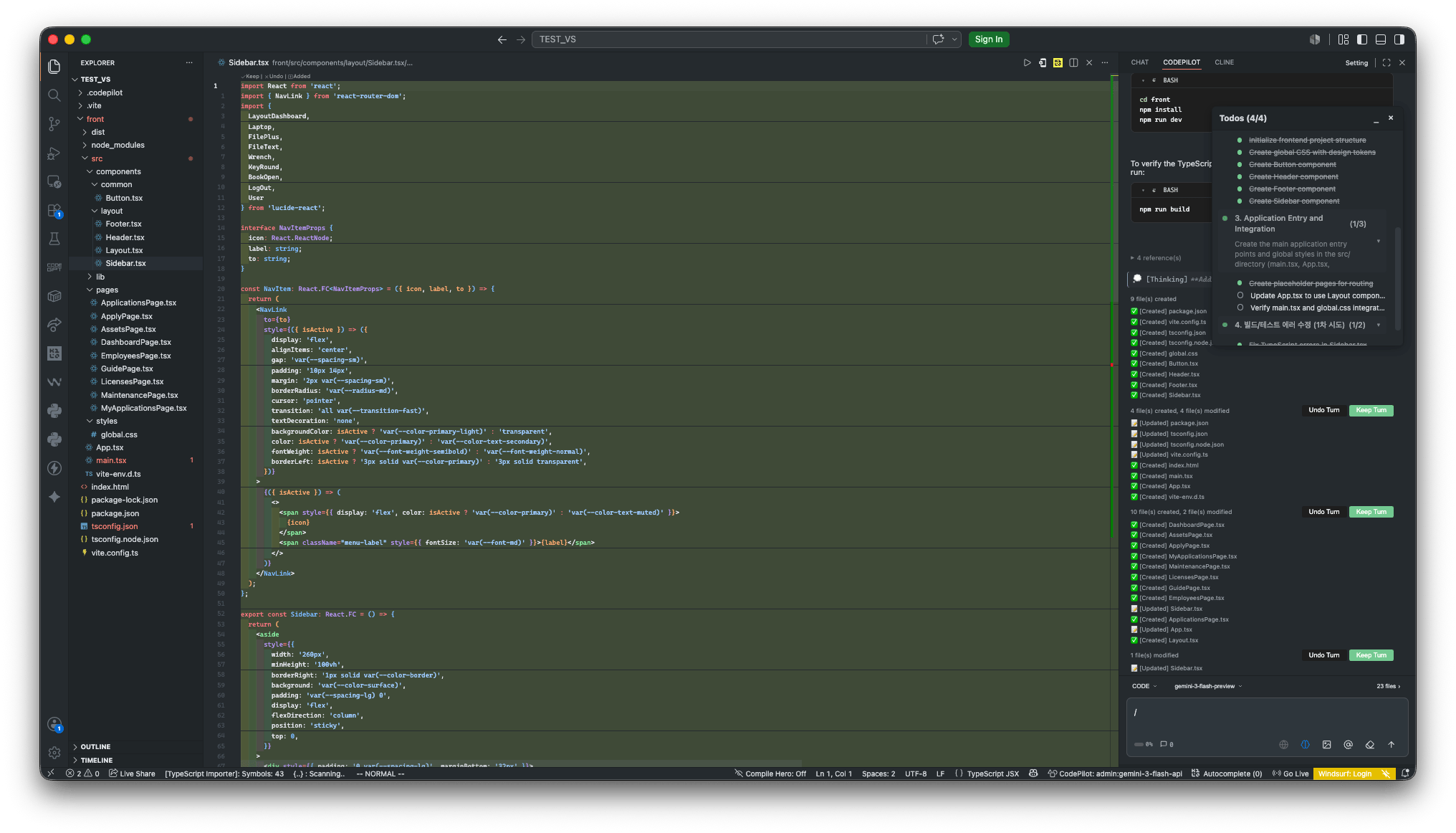
## Open the chat panel
Click the CodePilot icon in the activity bar.
 ***
## Choose a mode
From the dropdown to the left of the input box, choose the mode that fits your goal.
***
## Choose a mode
From the dropdown to the left of the input box, choose the mode that fits your goal.
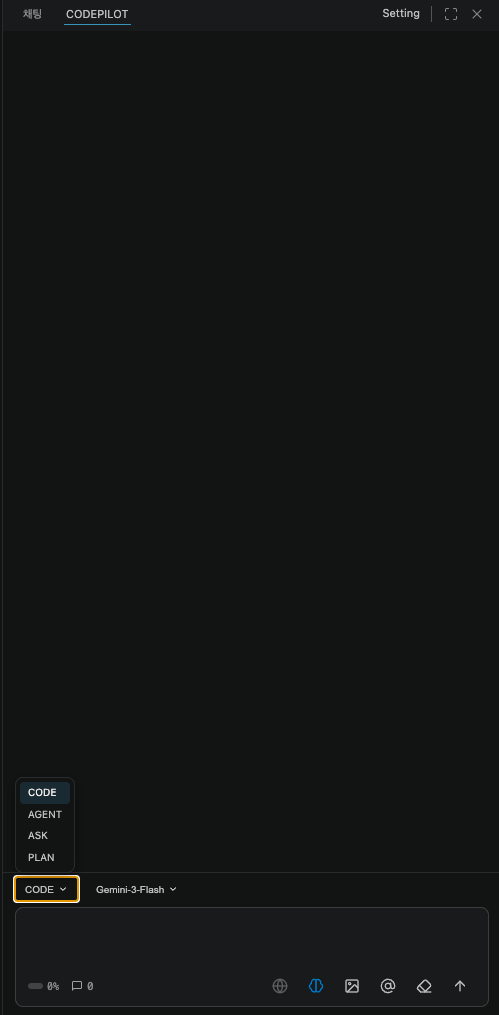 | Mode | File changes | Purpose |
| --------- | :----------: | --------------------------------------------------- |
| **CODE** | O | Create, edit, and delete files; run commands |
| **AGENT** | O | Break down complex tasks and handle them on its own |
| **ASK** | X | Questions and analysis |
| **PLAN** | X | Draft an implementation plan first |
For the full breakdown, see the [Chat modes](/en/ide/chat-modes) documentation.
***
## Try your first request
### Understanding code (ASK)
```
Explain the current project structure. Walk me through the main directories and the role of each file.
```
ASK mode only answers — it doesn't modify code. Try it first when getting your bearings in an unfamiliar codebase.
### Building a feature (CODE)
```
Create a login form component in the src/components/ directory.
Include email and password inputs, a submit button, and validation.
```
CODE mode has the AI create and modify files directly.
### Handing off a goal (AGENT)
```
Add a refund feature to the payment module, write the related tests, and then run the full test suite.
```
AGENT mode takes a goal, breaks the work down on its own, and follows through with verification after editing files. If you use a frontier model, we recommend AGENT mode.
### Planning first (PLAN)
```
I want to add an authentication system. How should I implement JWT-based login, logout, and token refresh?
```
PLAN mode presents an implementation plan first without touching any files. It's useful for checking the scope of impact before a large task.
***
## Attaching context
Type **`@`** in the input box to pick the context you want to hand to the AI.
| Mode | File changes | Purpose |
| --------- | :----------: | --------------------------------------------------- |
| **CODE** | O | Create, edit, and delete files; run commands |
| **AGENT** | O | Break down complex tasks and handle them on its own |
| **ASK** | X | Questions and analysis |
| **PLAN** | X | Draft an implementation plan first |
For the full breakdown, see the [Chat modes](/en/ide/chat-modes) documentation.
***
## Try your first request
### Understanding code (ASK)
```
Explain the current project structure. Walk me through the main directories and the role of each file.
```
ASK mode only answers — it doesn't modify code. Try it first when getting your bearings in an unfamiliar codebase.
### Building a feature (CODE)
```
Create a login form component in the src/components/ directory.
Include email and password inputs, a submit button, and validation.
```
CODE mode has the AI create and modify files directly.
### Handing off a goal (AGENT)
```
Add a refund feature to the payment module, write the related tests, and then run the full test suite.
```
AGENT mode takes a goal, breaks the work down on its own, and follows through with verification after editing files. If you use a frontier model, we recommend AGENT mode.
### Planning first (PLAN)
```
I want to add an authentication system. How should I implement JWT-based login, logout, and token refresh?
```
PLAN mode presents an implementation plan first without touching any files. It's useful for checking the scope of impact before a large task.
***
## Attaching context
Type **`@`** in the input box to pick the context you want to hand to the AI.
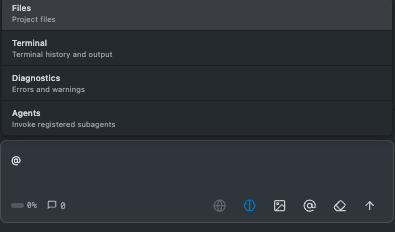 ```
@src/api/auth.ts Improve the token expiration handling logic in this file.
```
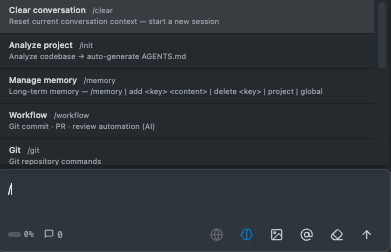
Type **`/`** to use shortcut commands such as commit, review, and session management.
```
@src/api/auth.ts Improve the token expiration handling logic in this file.
```
Type **`/`** to use shortcut commands such as commit, review, and session management.
 ***
## Approving / undoing changes
When the AI modifies a file, the changes are shown in the editor as an inline diff.
***
## Approving / undoing changes
When the AI modifies a file, the changes are shown in the editor as an inline diff.
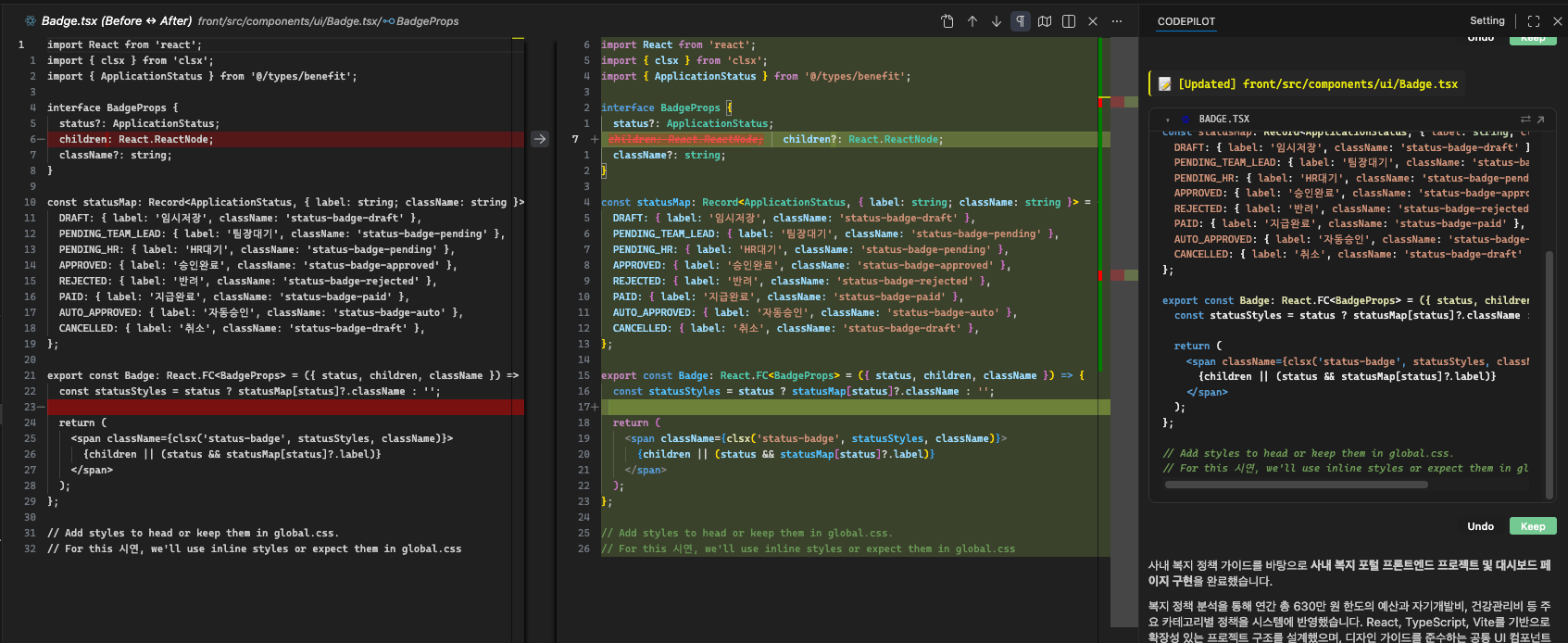 * **Keep** — Apply the change.
* **Undo** — Revert the change.
You can also handle everything at once in the **Pending changes** area at the bottom of the chat panel.
| Shortcut | Action |
| ----------------------------------------- | ----------------- |
| `Ctrl+Enter` (macOS: `Cmd+Enter`) | Apply all changes |
| `Ctrl+Backspace` (macOS: `Cmd+Backspace`) | Undo all changes |
CODE and AGENT modes change actual files. Check your Git commit state before any important work.
***
## Running multiple tasks at once
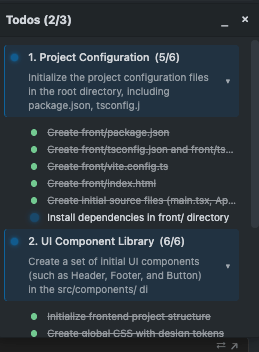
Large requests are automatically split into several subtasks and processed in parallel. You can track progress in real time in the task list in the chat panel.
* **Keep** — Apply the change.
* **Undo** — Revert the change.
You can also handle everything at once in the **Pending changes** area at the bottom of the chat panel.
| Shortcut | Action |
| ----------------------------------------- | ----------------- |
| `Ctrl+Enter` (macOS: `Cmd+Enter`) | Apply all changes |
| `Ctrl+Backspace` (macOS: `Cmd+Backspace`) | Undo all changes |
CODE and AGENT modes change actual files. Check your Git commit state before any important work.
***
## Running multiple tasks at once
Large requests are automatically split into several subtasks and processed in parallel. You can track progress in real time in the task list in the chat panel.
 ```
Build an internal employee benefits portal.
- A React + TypeScript frontend in the front/ directory
- A FastAPI backend in the server/ directory
- Use PostgreSQL for the database
```
***
## Reviewing the results
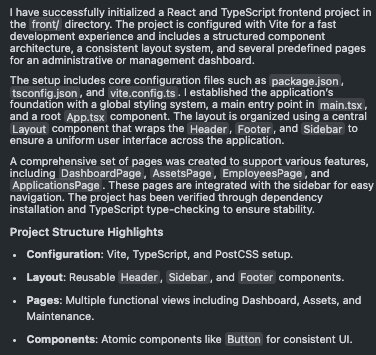
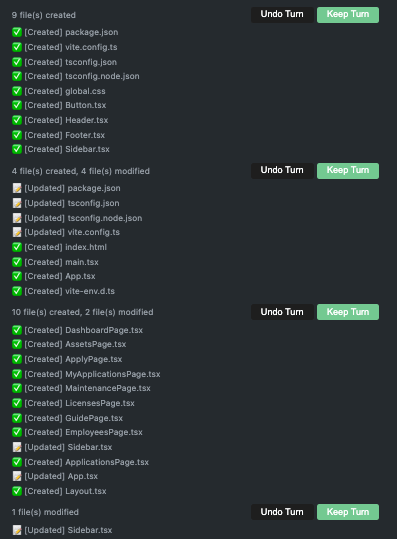
When the AI finishes, it shows a summary of what it did and a list of the files that changed.
```
Build an internal employee benefits portal.
- A React + TypeScript frontend in the front/ directory
- A FastAPI backend in the server/ directory
- Use PostgreSQL for the database
```
***
## Reviewing the results
When the AI finishes, it shows a summary of what it did and a list of the files that changed.
 Below the response, you can confirm this turn's changes all at once or expand the list of files the AI referenced.
 ***
## Next steps
How to use CODE / AGENT / ASK / PLAN
Automatic error fixing, security guardrails, RAG
AI models, build verification, security settings
***
## Next steps
How to use CODE / AGENT / ASK / PLAN
Automatic error fixing, security guardrails, RAG
AI models, build verification, security settings