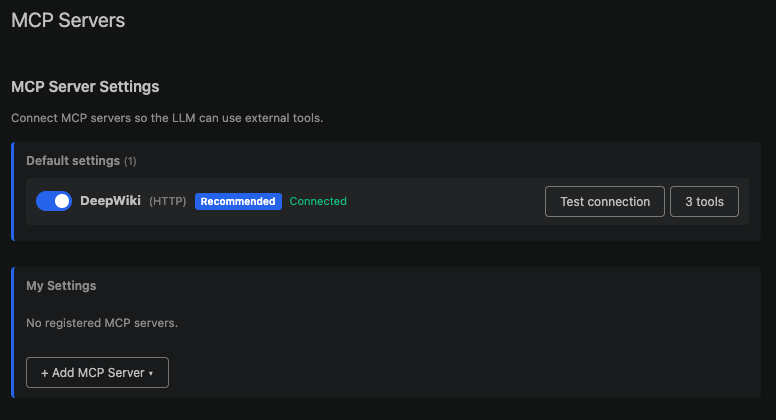

Multi-LLM and Hybrid Operation
Within a single IDE, freely switch between local and cloud models as you work.- Cloud models — High-performance commercial models registered by your Organization
- Local models — Models installed on in-house PCs or servers; run without any external network
- Real-time switching — Change models even in the middle of a conversation
For security-sensitive projects, use local models only to eliminate data leakage at the source, and switch models based on task difficulty to optimize costs.
Automatic Model Assignment by Purpose
Different models are used automatically depending on the type of task. Because expensive models aren’t used for simple tasks, operating costs go down. You can assign models by purpose yourself in Settings → AI Models.Automatic File Creation, Modification, and Deletion
When you make a request via chat, the AI creates and modifies files directly. It edits multiple related files at once — such as controllers, services, and DTOs — and updates the call sites along with them.Inline Diff Preview and Approval
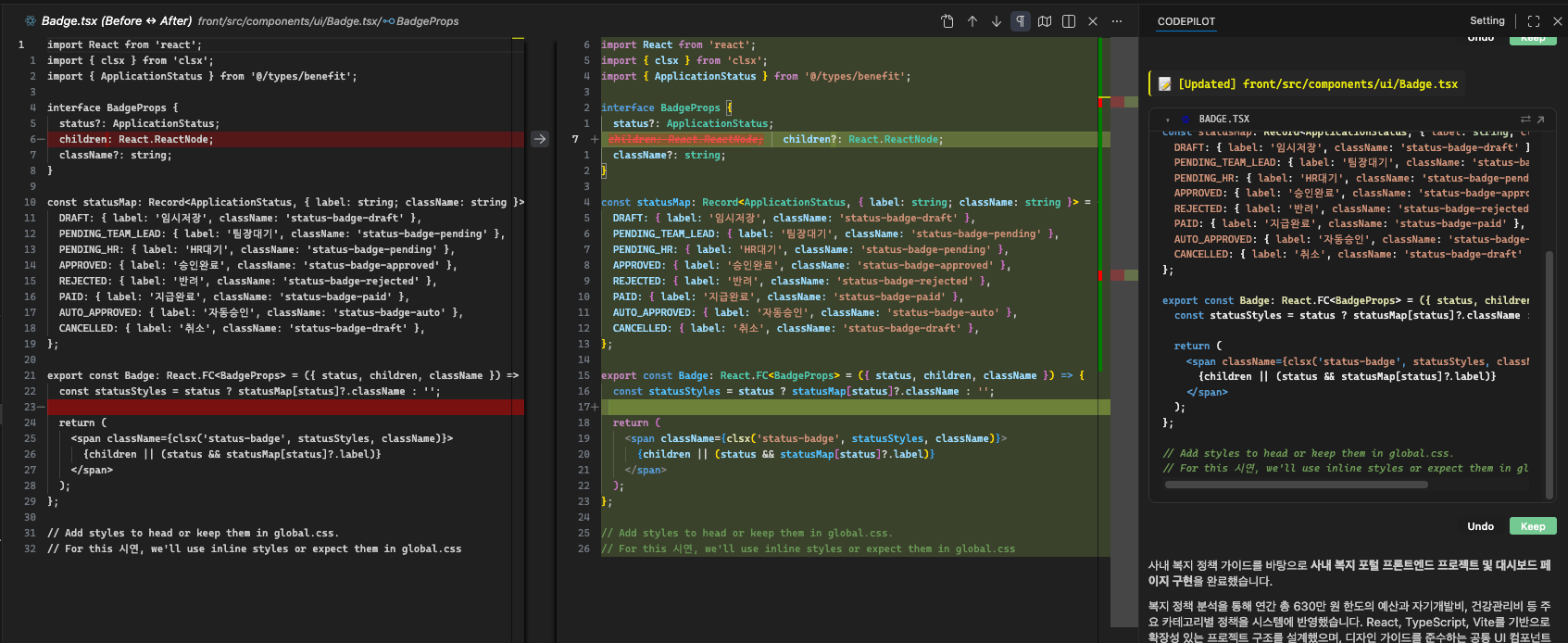
- Inline diff — Changes are shown inline within your current code, with no separate window
- Real-time display — The diff is drawn as the AI writes code, so you can review it even before it finishes
- Selective apply — Keep / Undo on a per-change-chunk basis
- Turn-level handling — Confirm or undo all of the current response’s changes at once
- Persists across restarts — Changes you haven’t approved yet remain even after you restart the IDE
Secures both the AI’s automation and the developer’s control at the same time.
Automatic Terminal Command Execution
The AI handles repetitive terminal work such as building, testing, and deployment on your behalf. It automatically converts commands to the shell syntax appropriate for your operating system, then reads the output to determine whether they succeeded.Automatic Error Correction
The AI detects errors that occur in the terminal and attempts to fix them on its own. It repeats “fix → re-run → verify” for the configured number of times, and reports back to you if the issue isn’t resolved.Even when errors occur, it attempts an immediate fix without any web searching, so your development flow is never interrupted.
Multi-Agent
Complex requests are split into multiple subtasks and processed. Tasks that don’t depend on each other run concurrently, while tasks that need the results of an earlier step run in sequence. Once all tasks are done, the results are merged into one and verified with builds and tests.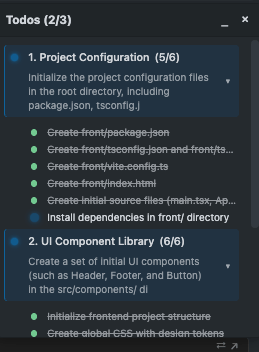
Automatic Build/Test Verification
After writing or fixing code, it automatically runs builds and tests. It detects the project type to pick the right commands, and if they fail, it analyzes the cause, applies a fix, and verifies again.Turns “a procedure people have to remember” into a procedure the system enforces.
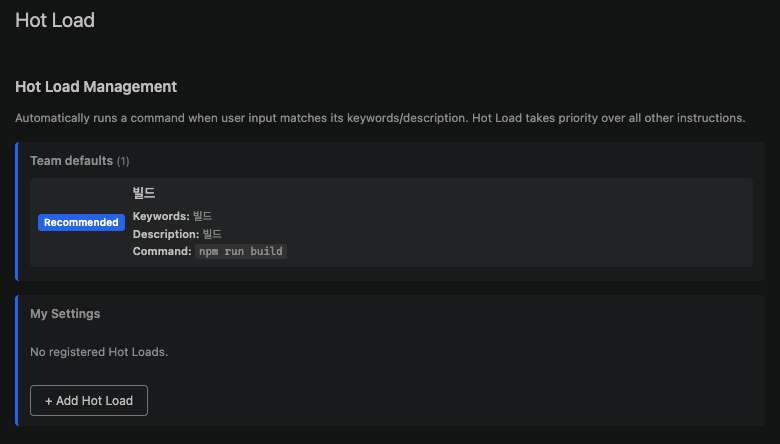
Keyword-Based Automatic Command Execution (Hot Load)
Security Guardrails
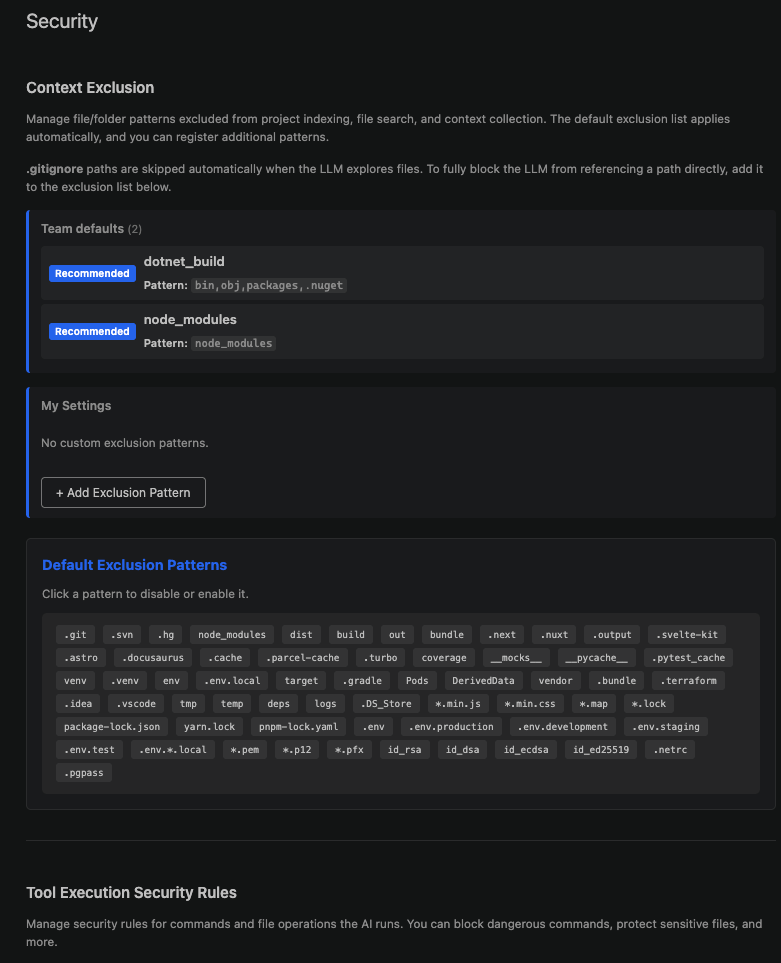
- Blocked commands — Prevents the execution of commands that could destroy the system
- Protected files — Blocks modification or deletion of sensitive files such as
.envand certificates - Hidden files — Conceals specific files so the AI cannot read or search them
- Out-of-project access blocking — Blocks access to files outside the working folder
- Credential protection — Inspects responses so that secret keys don’t slip out
No matter how autonomously the AI operates, it cannot cross the security boundary.
Inline Code Completion
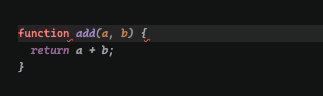
The moment you type, the AI suggests the code that comes next as gray text. Accept it with theTab key, or dismiss it with Esc. It considers not only the current file but also the context of other files open in the editor.
Leveraging Project Context and Internal Knowledge
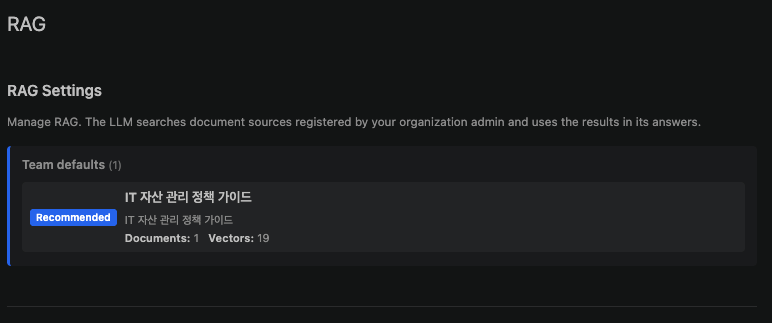
It generates code “tailored to your project” rather than generic examples from the internet.
Next-Task Suggestions

Clarifying Questions from the AI
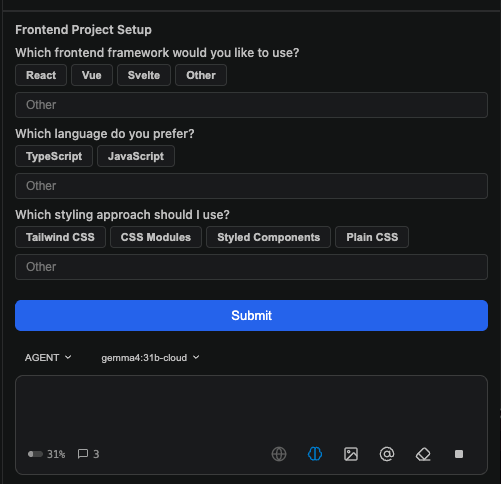
Because the AI confirms rather than assumes, you get the result you want.
MCP Tool Integration