

What is a Project?
A project is an independent configuration unit within an organization. You can create multiple projects inside a single organization and apply different AI model, MCP, RAG, rule, and security settings to each one.Team default vs. project settings
Categories with no project-level settings automatically inherit the team default settings. When a project setting exists, it overrides only that specific item.
Creating a Project
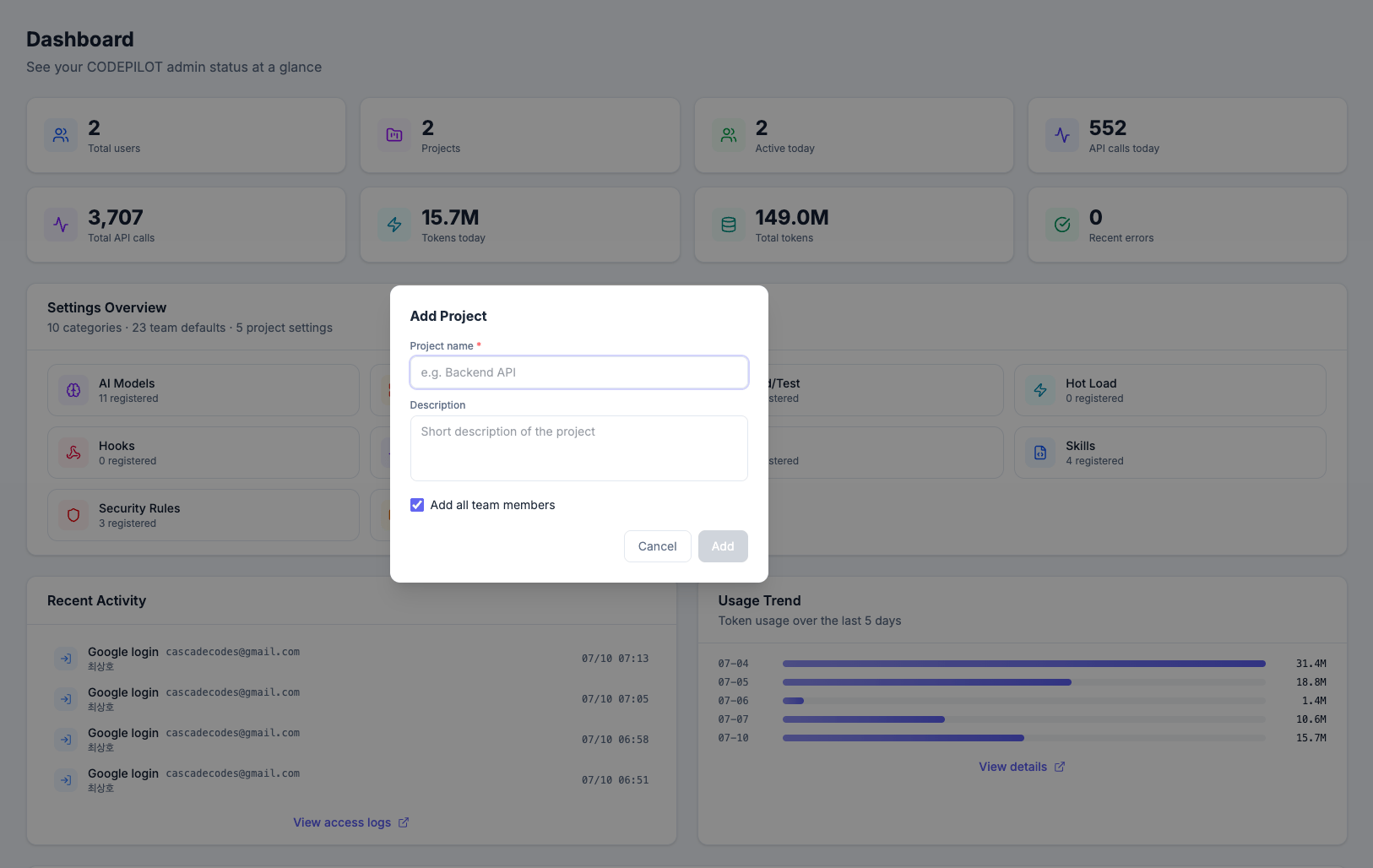
1
Click Add project
Open the dropdown and click Add project at the bottom.
2
Enter details
Enter the project name and description.
3
Choose whether to add members
Check Add all team members to automatically include every member of the organization. You can adjust this individually later.
4
Add
Once created, you are automatically switched to the new project.
Switching Projects
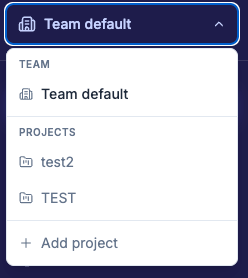
When you select a project, every settings page displays the settings specific to that project.
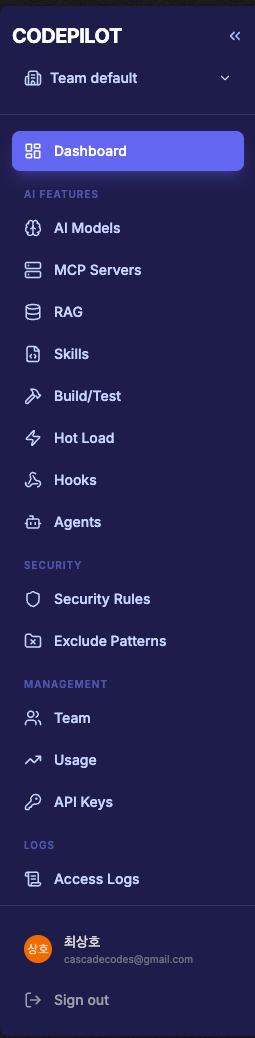
Sidebar menu changes
In project scope, organization-level menus are hidden.Team default
Project
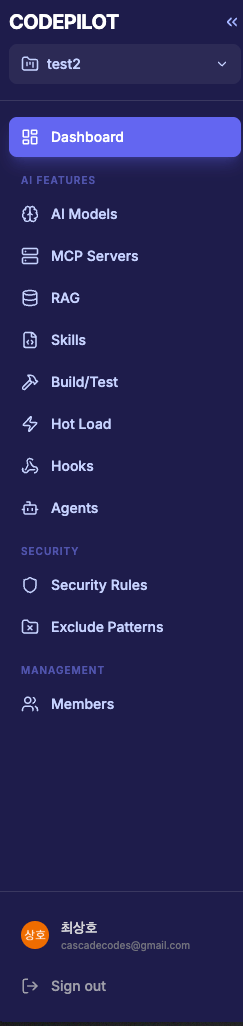
Usage Monitoring, API Keys, and logs are organization-wide features, so they are not shown in project scope.
Managing Per-Project Settings
In project scope, a read-only team default settings panel is shown above each settings page. This lets you compare inherited settings and project-specific settings at a glance.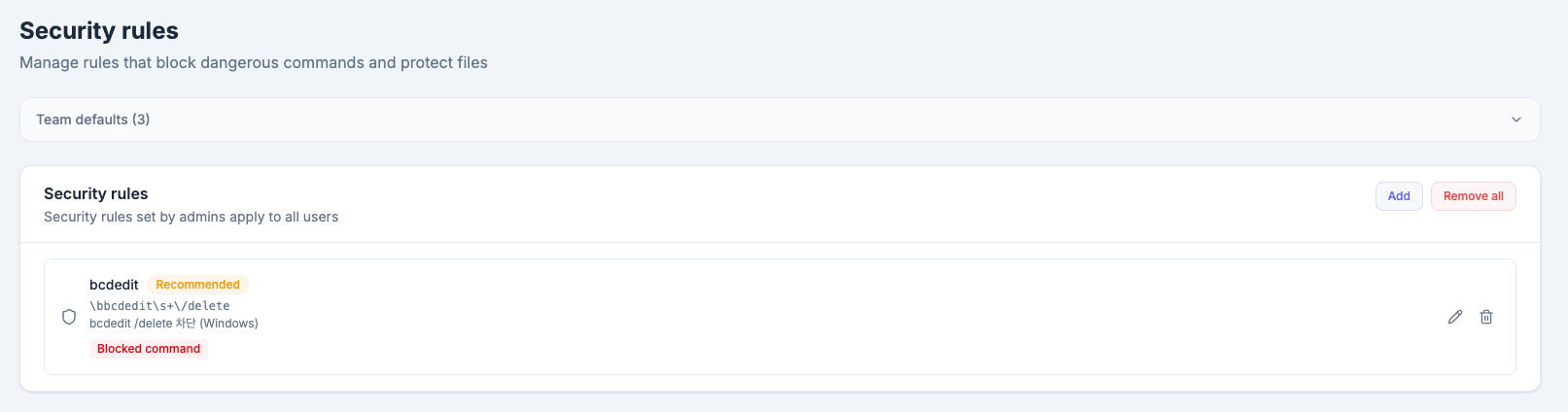
To edit the team default settings, switch to Team default in the dropdown.
Managing Project Members
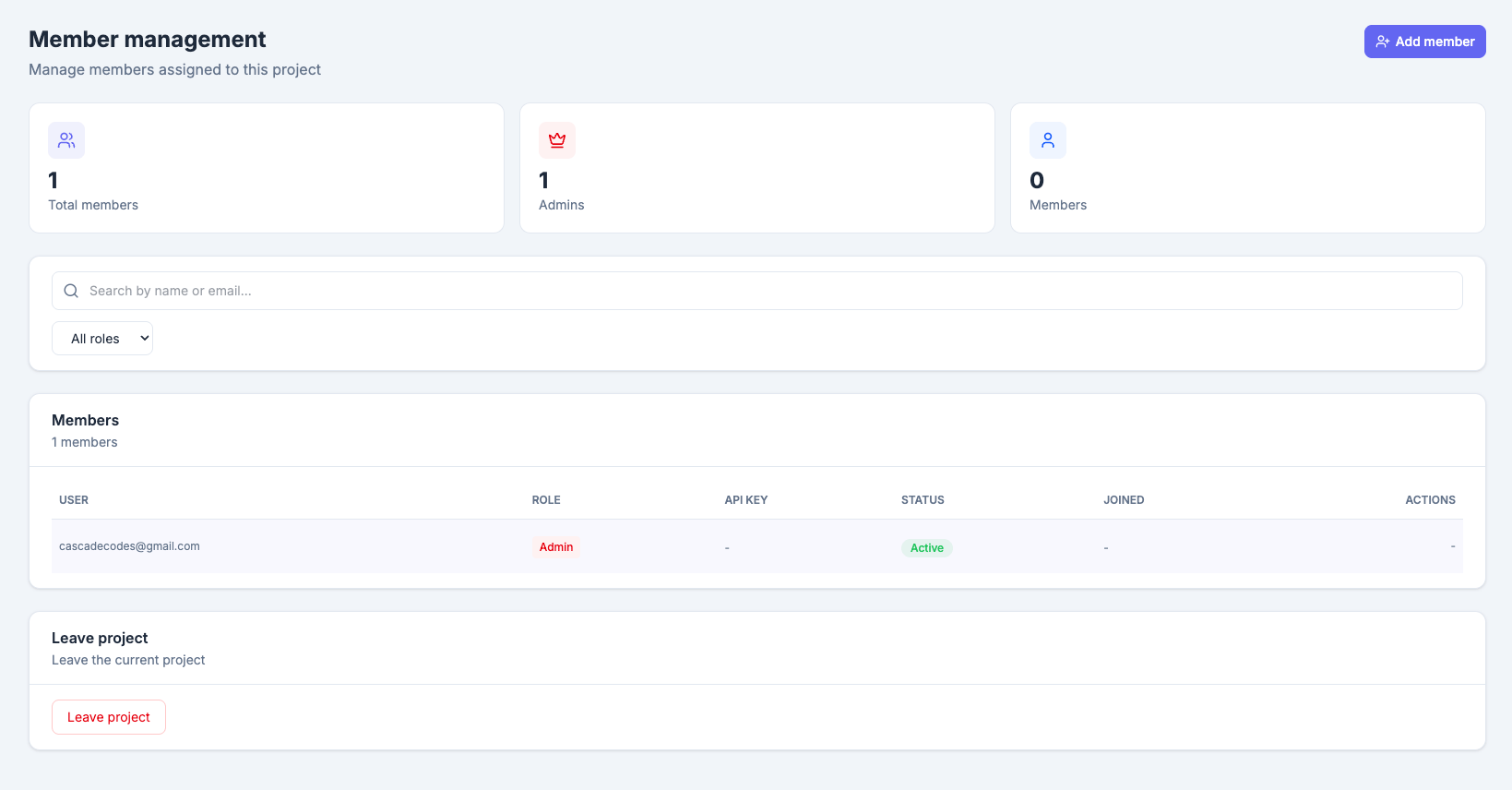
- Add member — Search the organization member list and add them to the project
- Remove member — Remove them from the project only (they are not removed from the organization)
- Leave project — Leave the project yourself